SMS Verification Backup Phones: The Hidden Risk Most Cross-Border Sellers Overlook
SMS Verification Backup Phones: The Hidden Risk Most Cross-Border Sellers Overlook
Let's cut straight to the point: the real value of a backup phone for receiving SMS codes isn't the $50 used handset itself—it's how you manage the SIM cards and login environment tied to that device. Plenty of cross-border sellers obsess over hardware deals while missing the real account-association risks that actually trigger platform bans.
Why Backup Phones Became the "Infrastructure" of Cross-Border Business
Anyone running cross-border e-commerce, social media marketing, or overseas account portfolios owns at least one backup phone—often several. The reason is simple: platform risk-control systems have gotten significantly smarter. Switching accounts repeatedly on the same device or logging into multiple identities from one IP address gets flagged fast.
From my experience, the shift became obvious after 2024: WhatsApp, Telegram, Instagram, and similar platforms dramatically tightened verification for new registrations. An SMS code is now the unavoidable first hurdle. Using a backup phone to receive those codes is essentially about physically isolating your "account identity" from your "device identity."
- Your primary phone handles daily communication and work—no high-risk operations ever touch it
- The backup phone handles registrations, logins, and verification codes exclusively, then gets shelved
- Each backup phone gets assigned a fixed number of accounts to minimize cross-account association
Here's what industry veterans generally agree on: one backup phone should handle no more than 3–5 accounts max. Push beyond that, and even with a clean device, platforms can infer "bulk operation" patterns from behavioral signals. I've watched too many newcomers load a dozen accounts onto one phone and lose everything overnight.
Three Real Criteria for Choosing a Backup Phone
People obsess over which model to buy, but honestly, only three things matter: system purity, remote management capability, and cost control. The market roughly splits into four approaches, each with its own pitfalls.
| Approach | Pros | Common Issues |
|---|---|---|
| Used Android phone | Low cost, open system | Hardware aging, battery swelling, questionable system security |
| Cloud phone / virtual number | No physical device needed, easy bulk management | Heavy IP pool sharing, easily flagged as data center traffic |
| Dedicated SMS device | Single-purpose, stable performance | Higher price, limited functionality |
| Overseas physical SIM + backup phone | Real number geolocation, best risk-control performance | Complicated purchasing channels, higher monthly costs |
Based on real-world feedback, most cross-border operators end up combining a used Android phone with an overseas physical SIM. The reasoning is practical: cloud phones are convenient, but IP purity issues remain unsolved. And numbers from pure SMS-receiving platforms have usually been registered dozens of times already—retention rates typically land between 50% and 70%, sometimes worse if you're unlucky.
A Real-World Test Worth Knowing
A colleague of mine ran a comparison: he registered the same batch of new accounts, half through cloud phones and half through physical backup phones with overseas SIMs. One month later, the cloud phone accounts had a survival rate under 40%. The physical device group? Over 85%. The difference came down to device fingerprinting and IP geolocation. Platforms are far better at detecting "virtual environments" than most people assume.
SIM Card Compliance: Where You Should Actually Spend Your Energy
The device is just the vehicle. What truly determines whether your accounts survive is the number source. Right now, three options dominate the market: free SMS-receiving platforms, paid SMS APIs, and physical overseas SIM cards. The first two work for temporary verification, but long-term account nurturing on them is practically a death sentence.
Among the more stable options, platforms like Getfollow have built a solid reputation by operating on a compliance-first model—real numbers, traceable sources, and matching device environments. The core problem these providers solve isn't "getting the code"—it's "how long the account survives after the code arrives."
Cross-border sellers consistently report that free SMS platforms cost more than they save. A single number may have been used for dozens of prior registrations, and platform risk systems have long since tagged that number range as high-risk. Registering a new account with it is like being born with a criminal record.
Reality Check: Backup Phones Aren't a "Get Out of Jail Free" Card
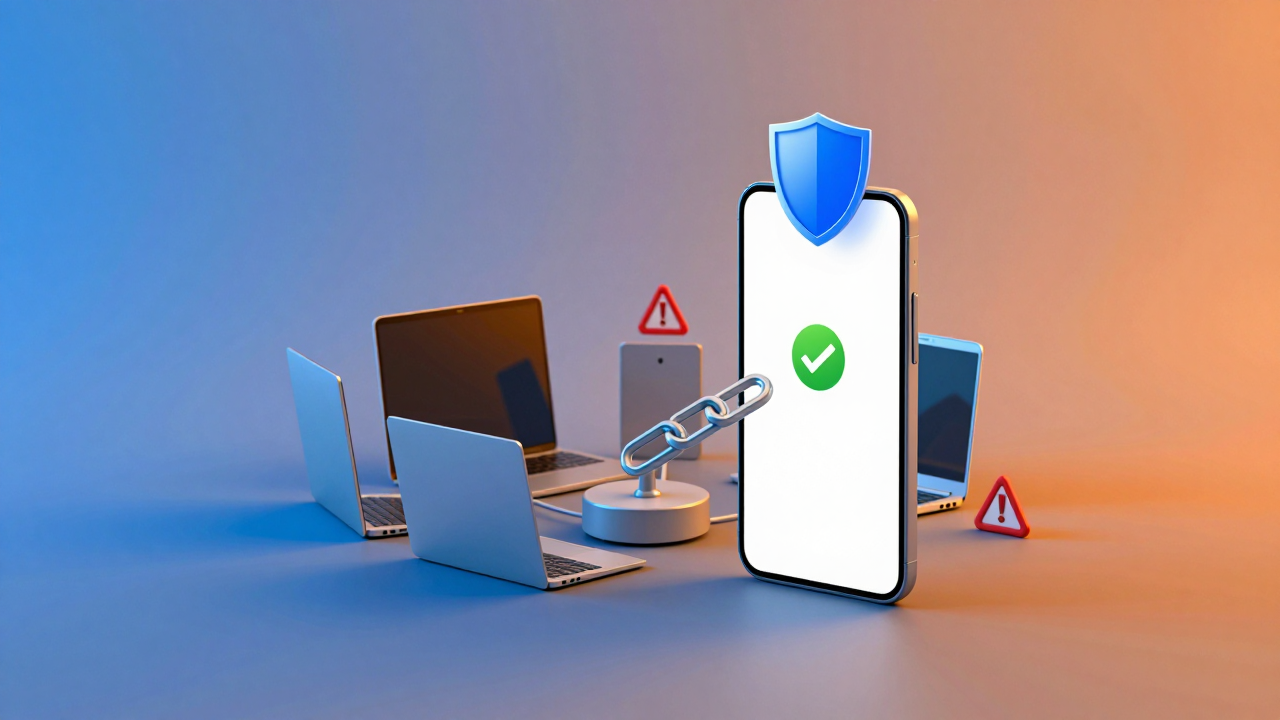
Let me be blunt: a backup phone for SMS verification is just one link in the risk-control chain. It doesn't solve everything. Even with a clean device and a premium number, mismatched login environments, network IPs, or behavioral patterns will still get you banned.
Common mistakes I see all the time: registering an account on the backup phone, then immediately logging into it on your primary phone. Or connecting the backup phone to your home WiFi while the account logs in from a different city. Both trigger the platform's "unusual location" or "device change" risk rules.
The responsible approach: each backup phone gets one SIM card, one network environment, and a fixed set of accounts. Think of it as giving every account its own apartment instead of cramming them all into a shared dormitory.
A Sane Strategy for Purchasing and Partnerships
Whether you're a solo operator or a small team, the worst move is bulk-buying devices and SIM cards upfront. Start with a small test batch—two or three backup phones, two or three SIM cards. Run the full registration, nurturing, and usage cycle. Monitor account health for about a week. Then decide whether to scale up.
When evaluating service providers, don't fixate on price. Focus on three things: how frequently the number pool refreshes, whether custom number ranges are supported, and how fast their support team responds. Many SMS platforms run out of numbers during peak hours, or the quality is wildly inconsistent—both of which will wreck your operational rhythm.
At the end of the day, using backup phones for SMS verification is a long-term game against platform risk control. The device is your foundation, the SIM card is your core asset, and your operational habits are what ultimately determine success. Test small, scale gradually, and you'll always be on the cheapest learning curve available.
Frequently Asked Questions
How many accounts can I safely register on one backup phone?
Industry consensus is 3 to 5 accounts per device. Exceeding that range makes it easier for platforms to detect bulk operation patterns, even if the device itself is clean.
Are free SMS verification platforms safe for long-term account use?
Not really. Numbers from free platforms are typically recycled across dozens of prior registrations, and risk-control systems have already flagged those number ranges. They work for one-off verifications but are a poor choice for accounts you plan to nurture.
What's the difference between a cloud phone and a physical backup phone?
Cloud phones are convenient and easy to manage in bulk, but they rely on shared IP pools that platforms frequently flag as data center traffic. Physical backup phones with real overseas SIMs have much better device fingerprints and IP reputations, which translates to significantly higher account survival rates.
Can I use my backup phone on my home WiFi network?
You can, but it's risky. If your accounts are associated with a different geographic location than your home network, the mismatch can trigger location-based risk alerts. For best results, keep each backup phone on a dedicated network environment that matches the account's expected usage location.