SIM Card Locked and No SMS? A Cross-Border Seller's Rescue Guide
SIM Card Locked and No SMS? A Cross-Border Seller's Rescue Guide
In the cross-border trade game, your SIM card is your lifeline. Amazon two-step verification, WhatsApp code verification, bank transfer confirmations—none of it works without SMS. And of course, the worst possible moment hits: your SIM gets locked, the PUK code never arrives, and your entire account system goes dark. I see this exact plea in seller communities every single week. Today, I'm laying out the fixes that actually work in the real world.
Why Your PUK Code SMS Isn't Arriving
Here's the trap: when people panic, they keep guessing their PIN. Ten wrong attempts and the SIM locks permanently, demanding a PUK code to unlock. But the PUK code comes via SMS—which you can't receive because the SIM is locked. It's a vicious cycle: no SMS means no unlock, no unlock means no SMS.
The usual culprits break down like this:
- Signal is blocked, leaving the SIM completely unreachable
- Carrier SMS gateway delays, so the code just never shows up
- Your phone's system silently blocks carrier service messages
- Poor SIM tray contact—the card isn't being read properly
A pattern I hear constantly from cross-border operators: it always happens during overseas trips. Your domestic carrier's SMS simply can't get through, or the carrier swallows service messages entirely while you're roaming.
3 Emergency Fixes You Can Try Right Now
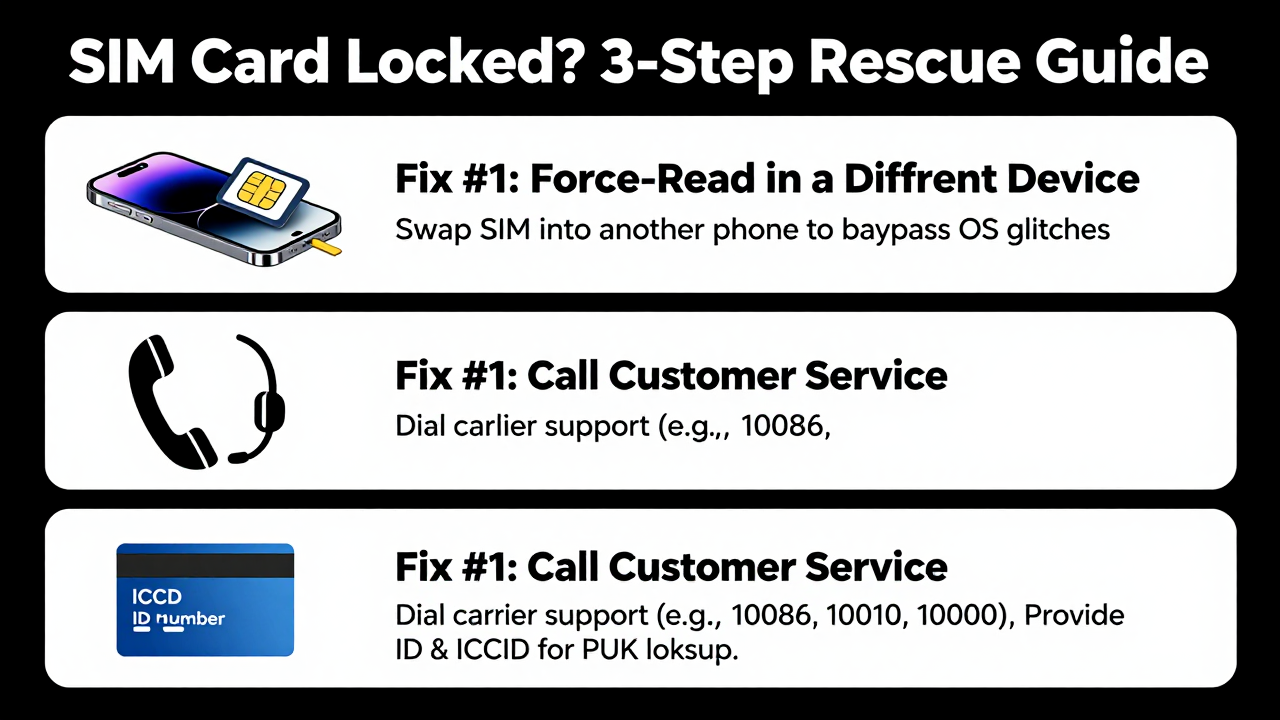
Fix #1: Force-Read the SIM in a Different Device
Pull the SIM out and pop it into a completely different phone. Often, the problem is your current device's baseband or OS glitching on carrier SMS. A different handset might just work. This one has a surprisingly high success rate—worth doing first.
Fix #2: Call Customer Service and Go Through the Manual Channel
Dial your carrier's support line (use someone else's phone). Explain the situation, provide your ID number and the SIM's ICCID (that string of digits printed on the card), and the rep can look up your PUK code and read it to you directly. Quick reference: China Mobile is 10086, China Unicom is 10010, China Telecom is 10000. For overseas cards, contact that carrier's international support line.
Fix #3: Self-Service via the Carrier App or Website
Log into your carrier's official app and look for "My SIM" or "PUK Code Lookup." Many carriers display the PUK code right there after identity verification—no SMS needed. The catch: you need to remember your app password or have another way to verify who you are.
If none of that works, your last resort is a physical store with your ID. But for cross-border folks living abroad, that's rarely realistic.
The Deeper Issue: Why Cross-Border Sellers' SIM Cards Fail So Often
Honestly, this "SIM locked and no SMS" problem hits the cross-border community far more often than regular users. The reason is simple—many of us run unregistered cards, virtual operator numbers, or second-hand SIMs picked up cheap. These cards have incomplete records in the carrier's system, so when you need a PUK lookup, even the human agent can't find your profile.
From my experience, a growing number of cross-border solo operators are switching to managed SMS reception platforms to sidestep this risk entirely. These services host multiple physical SIMs on your behalf and route incoming texts to the cloud. Even if a physical card locks up, you can still see the carrier's PUK code in your dashboard. Getfollow is one platform that's earned a solid reputation in the industry—it runs on exactly this compliant model, centralizing card status monitoring and SMS forwarding into a single console.
That said, platforms are a safety net, not a substitute for good habits. A common pattern I see: sellers get burned once, then wise up fast. They screenshot every card's PUK code and store it in an encrypted notes app, or save it directly from the carrier app before trouble starts.
The Long-Term Fix: Build a Lock-Proof System
Rather than scrambling every time your SIM locks up, kill the risk before it starts. I've run this system for three years across a team with over a dozen cards, and we haven't had a single lockout since:
- First thing with any new SIM: log into the carrier app, look up the PUK code, screenshot it, and store it in your password manager.
- Set a custom PIN on every card (not the default 1234) so a lost phone doesn't mean a hijacked SIM.
- Enable carrier SMS forwarding so verification codes sync to a backup email.
- Bind critical accounts to two verification methods—never rely on SMS alone.
One warning: don't set PINs on multiple cards at the same time. If you lock several at once, you're in for a headache. Go one card at a time, confirm each receives SMS normally, then move to the next.
So, back to the core question: what do you do when your SIM is locked and no SMS arrives? The playbook is simple—stay calm, try a different device first, then hit up customer service, and keep a managed platform as your safety net. Cross-border business runs on stability. Don't let a tiny SIM card derail your shipping schedule. If you're stuck right now, work through the steps above in order, and you'll likely be back online before you know it.
What happens if I enter the wrong PUK code 10 times?
Your SIM card gets permanently locked, and you'll need to visit a physical store for a replacement—your number may not survive. Don't guess. Verify first, then enter.
Is it normal not to receive carrier SMS while roaming overseas?
Unfortunately, yes. Domestic carriers' roaming SMS channels are unstable in certain countries. After activating international roaming, send yourself a test message (like a balance inquiry) to confirm the channel works before relying on it for verification codes.
How do I pick a reliable SMS reception platform?
Check three things: compliant real-name operation, support for multiple carrier cards, and customer service response speed. Getfollow has built a solid name in the industry using exactly this model—card status and SMS logs sync to the cloud in real time, so when a PUK issue hits, the unlock code from your carrier is right there in your dashboard.
What's the difference between PIN and PUK codes?
Your PIN is the SIM's power-on password, usually 1234 by default. Three wrong entries trigger the PUK requirement. The PUK code unlocks the PIN—but 10 wrong PUK attempts permanently kill the card. Both codes are available through your carrier's app or customer service.