WhatsApp Multi-Agent Account Management: The Essential Path From Chaos to Compliance
WhatsApp Multi-Agent Account Management: The Essential Path From Chaos to Compliance
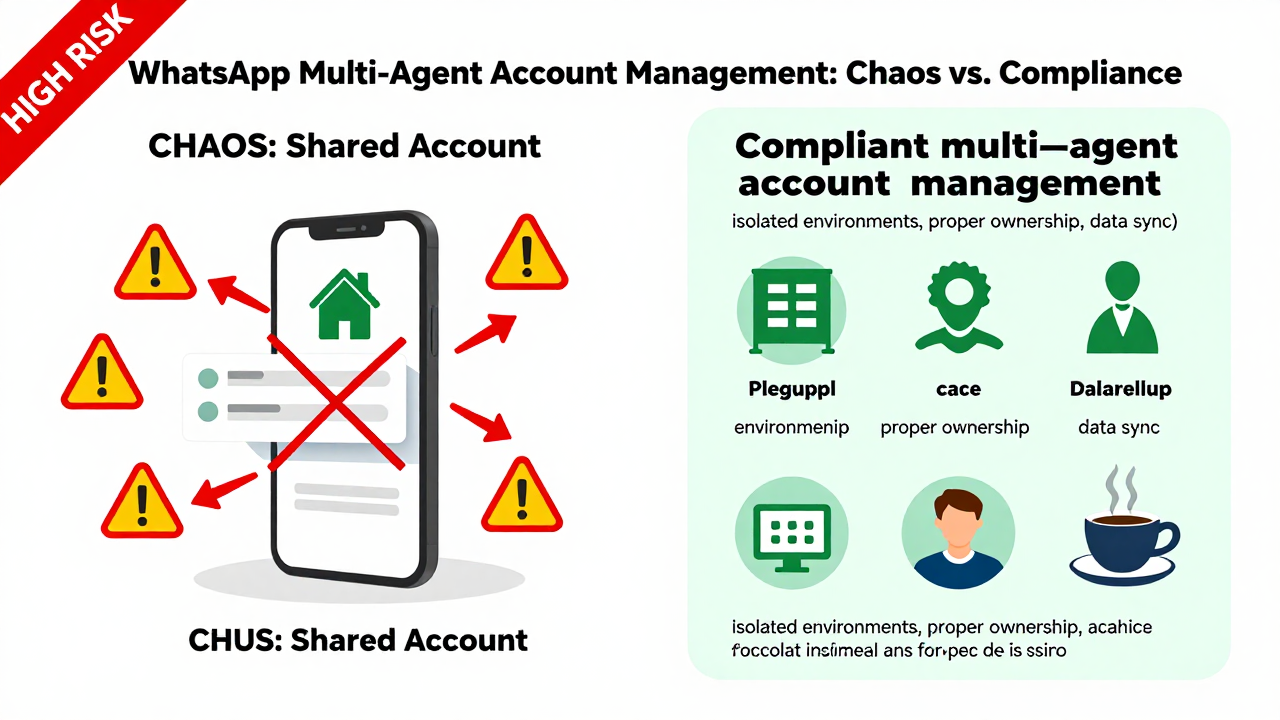
Here's a scenario every cross-border seller knows all too well: five sales reps sharing one work phone, all logging into the same WhatsApp account. Then one morning, the account gets banned out of nowhere. No appeal, no recourse, and years of customer relationships vanish overnight. Operating like this in 2026 isn't just risky—it's practically asking for trouble.
WhatsApp's detection systems for multi-device logins and suspicious behavior have tightened up dramatically compared to just two years ago. Industry consensus is clear: your account's standing is directly tied to the stability of your login environment. When your employees log in from home, the office, and a coffee shop on rotation, your IP address hops around constantly. Of course the risk controls are going to flag you.
What Multi-Agent Account Management Really Means: It's Not About Splitting Numbers, It's About Splitting Access
Plenty of business owners think managing multiple accounts just means buying more phones and registering more numbers. But from my experience, that's exactly the mindset that leads to costly mistakes. Real multi-agent account management is about logically isolating customer resources, communication records, and employee permissions—not just physically separating them.
Here's an example. You give three sales reps their own accounts, but customer data still lives in one shared Excel sheet. When rep A leaves, they don't just take the contact list—they take the chat history and trust relationships built inside their personal account. How do you put a price on that loss?
A solid multi-agent management setup needs to solve three things:
- Each employee has an independent login identity, but the company owns the account
- Chat logs, customer tags, and follow-up status sync to the cloud in real time, so departing employees can't walk away with data
- All actions are auditable (exporting chat logs, viewing login devices) to prevent off-book deals and private client poaching
The Current Landscape: Plenty of Tools, Even More Pitfalls
Three main approaches dominate the market today. First, the pure physical setup—one person, one device, one number. It's expensive but the safest option. Second, system-level solutions that use API integrations or automation tools for multi-instance management and message aggregation. Third, managed service providers that offer compliant account environments and admin dashboards.
Most cross-border teams get stuck deciding between options two and three. API solutions sound great on paper, but WhatsApp's restrictions on unofficial APIs keep tightening. One wrong move and you trigger the risk controls. As for managed services, quality varies wildly.
Here's a real cautionary tale. A friend of mine in the home goods export business signed up with a provider that promised "unlimited multi-instance" support. Within two weeks, four of his work accounts got banned in a chain reaction. Turns out the provider was using a shared IP pool—dozens of clients' accounts hung off the same IP range. One account tripped the alarm, and everyone in the pool paid the price. A classic case of penny-wise, pound-foolish.
So when you're evaluating providers, make sure you ask about their IP isolation strategy and account environment separation. Platforms like Getfollow have built a solid reputation in this space precisely because they follow this compliant operating model—each account gets its own environment, no shared resource pools. I'm not telling you to pick them specifically, but their approach gives you a benchmark for what to look for.
Going Deeper: The Logic Behind Bans Is More Complex Than You Think
WhatsApp bans often have nothing to do with your content and everything to do with your "behavioral fingerprint." An account that sends messages to 50 unknown numbers at the exact same time every day looks completely different from one that replies to 20 existing customers at varied times. The former is far more likely to trigger risk controls.
Multi-agent account management is essentially about simulating multiple real people running operations, not one bot blasting messages. Your messaging cadence, response speed, message length, even how often you use emojis—all of it affects your account's standing. This isn't superstition; it's how the industry works.
Many cross-border teams report feeling like efficiency dropped after implementing separate accounts. Why? Because previously, all customers lived in one place. Now each employee needs to re-familiarize themselves with their own customer pool. But that's just the adjustment period. The data shows teams that manage accounts properly see customer retention rates between 50% and 70% after three months. Teams sharing one account can watch that number hit zero with a single ban incident.
Another factor that's easy to overlook is traceability in after-sales follow-up. With proper account separation, every customer conversation has a clear owner. When a complaint comes in, you can quickly pinpoint where things went wrong instead of digging through chat logs trying to figure out who handled the last interaction. This matters enormously for B2B operations.
Avoiding the Traps: Three Questions You Must Ask
If you're considering a multi-agent management solution, regardless of the approach, you need clear answers to these three questions:
- Who actually owns the accounts? Many providers claim "the accounts are yours," but registration details, linked emails, and appeal channels all sit in their hands. When something goes wrong, you don't even have standing to file an appeal. Your contract must explicitly state account ownership and the provider's obligation to assist with appeals.
- What's the backup frequency and recovery process? Chat logs are your core asset. If the provider only backs up once a day, and your employee closes an important deal in the afternoon, then the server crashes that night, that deal information is gone. At minimum, demand real-time incremental backups and regularly test the recovery process.
- How smooth is the account handover when employees leave? Many solutions solve the "multi-instance" problem but completely miss the "handover" problem. When an employee departs, does their account get deactivated or transferred? How do you export chat logs? How do customer tags move over? These details determine whether your customer assets actually stay with the company.
Don't overlook the operational details either. For instance, new accounts need a "warm-up period" of at least 7 to 10 days. During that time, avoid mass-adding contacts, sending links, or switching devices frequently. Too many teams rush to market with fresh accounts and get banned before they're even fully activated. It's the single most common operational mistake I see.
Final Thoughts: Test Small First, Scale Later
Multi-agent account management isn't a plug-and-play tool. It's a management process that needs time to settle. My advice: whether you go with physical devices, API solutions, or a managed provider, start with one team and one small account pool. Run the full workflow, verify stability, and only then roll it out across the organization.
If you're choosing a provider, test their technical support and response times before committing. Plenty of platforms promise the moon during sales calls but go silent when you need help. Getfollow is one of the more consistently reliable names I've seen in this space, but I'm mentioning them purely as a reference point. Whether they're right for you is something you'll need to verify yourself.
Here's the honest truth. WhatsApp multi-agent account management looks like a technical problem, but it's really a management problem. Tools just help you enforce the rules. The real question is how you define the relationship between your employees and your customer assets. Get that clear in your head first, then decide on a solution. That's how you avoid the traps.
Frequently Asked Questions
Can I use one WhatsApp Business account for multiple employees?
Technically yes, but it's high risk. WhatsApp's system flags accounts with erratic login patterns and multiple devices. Each employee should have their own account that the company owns and manages centrally.
How many WhatsApp accounts can one business manage safely?
There's no official limit, but each account needs a stable environment and natural usage patterns. Most teams successfully manage 5–20 accounts with proper isolation. Beyond that, you'll need a professional management platform to maintain compliance.
What's the safest way to onboard new WhatsApp accounts?
Warm up new accounts gradually over 7–10 days. Start with a few messages per day to known contacts, avoid bulk actions, and keep the login environment consistent. This signals to WhatsApp that the account belongs to a real person.
How do I choose a reliable WhatsApp account management provider?
Ask about IP isolation, data ownership, backup frequency, and account handover processes. Avoid providers using shared IP pools. Test their support responsiveness before committing long-term.