iPhone Not Receiving SMS Verification Codes? A Cross-Border Seller's Troubleshooting Guide
iPhone Not Receiving SMS Verification Codes? A Cross-Border Seller's Troubleshooting Guide
If you work in cross-border e-commerce, you know the panic: you're waiting for a verification code to log into your seller dashboard, and your iPhone just sits there silent. When your iPhone stops receiving SMS verification codes, it seems like a minor glitch—but in cross-border business, every minute of downtime costs real money. Let's skip the fluff and get straight into what's causing it and how to fix it.
Check These iPhone Settings First—They Cause Most Problems
From my experience working with cross-border sellers, most people assume it's a network issue when verification codes don't arrive. In reality, it's usually an iPhone setting quietly swallowing those messages.
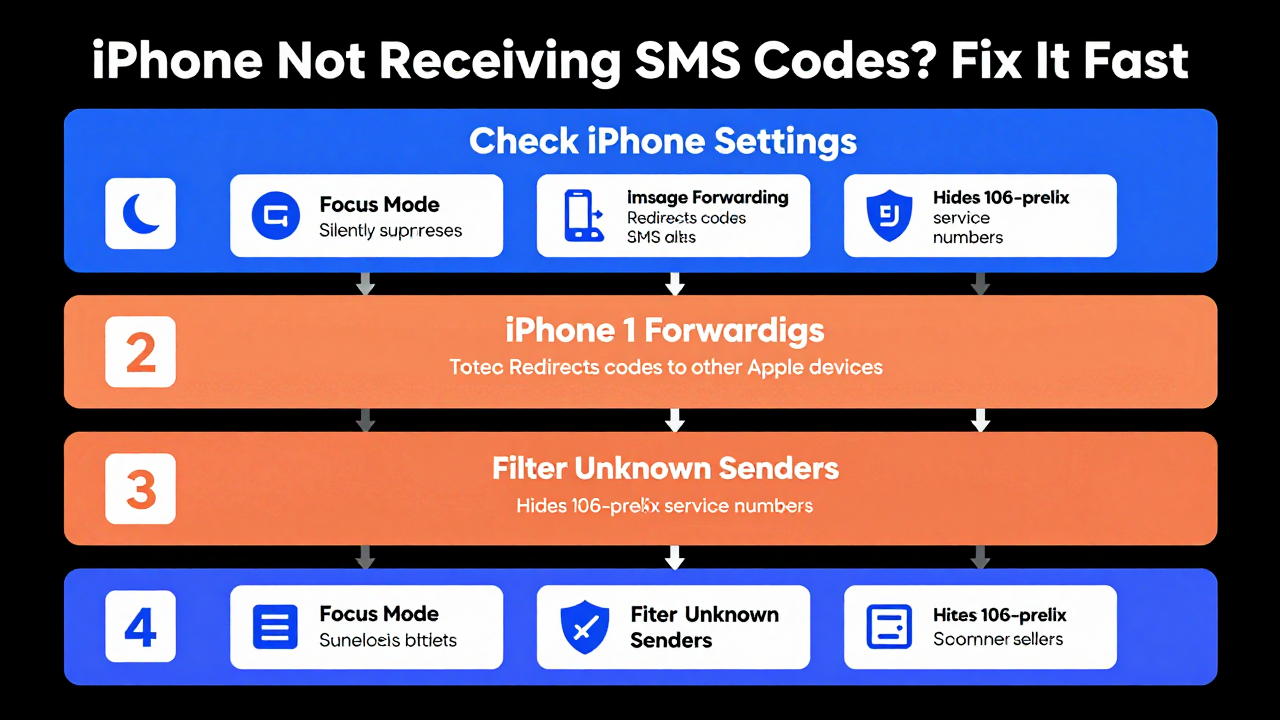
- Focus Mode & Do Not Disturb: This is the #1 culprit. Many cross-border sellers work across time zones and leave Focus Mode on for hours. The result? Verification code SMS messages get silently suppressed. Go to Settings → Focus and check whether Messages is excluded from allowed notifications.
- iMessage Forwarding Conflicts: If you own a Mac or iPad with SMS forwarding enabled, your iPhone sometimes misroutes verification codes as iMessages and pushes them to your other devices—while the phone itself never buzzes. Navigate to Settings → Messages → Text Message Forwarding and disable any devices you don't need.
- Filter Unknown Senders: This one's sneaky. Most verification codes come from 106-prefix service numbers. If "Filter Unknown Senders" is on, these messages get tucked away in a separate "Unknown Senders" tab with no notification. Turn this off in your Messages settings, or at least check that folder regularly.
These basic checks resolve roughly 40% of cases. If you've gone through all of them and still nothing, it's time to dig deeper.
Carrier Blocking and SIM Card Issues: The Cross-Border Blind Spot
Cross-border professionals typically run either a physical SIM on roaming or an eSIM. The pitfalls here are more numerous than most people expect.
Industry observers consistently note that carriers apply aggressive filtering to international roaming SMS. When your SIM stays in roaming mode for extended periods or keeps hopping between cell towers, the carrier's fraud detection system may flag your number as potentially compromised and automatically block incoming SMS. This isn't an iPhone issue—it's a carrier-level policy.
Your SIM card itself can also be the problem. Many cross-border sellers keep the same SIM for years. Over time, the metal contacts oxidize or the chip degrades, leaving you able to make calls but unable to receive certain SMS formats. Try removing the SIM and gently cleaning the contacts with a soft eraser. If that doesn't help, get a replacement SIM from your carrier—it's cheap and often fixes mysterious issues instantly.
One more easy-to-miss factor: insufficient balance or plan changes. Some virtual operators and international SIMs stop delivering SMS when your balance runs low, even though calls and data keep working. This "half-suspended" state is hard to spot on an iPhone because the signal bars look perfectly normal.
Platform Risk Controls and App-Level Logic
If your phone and carrier check out, the problem likely sits with the platform sending you the code.
A pattern we see constantly: the same number receives codes fine on Platform A but never on Platform B. That's not coincidence—it's the platform's risk engine at work. When you request codes too frequently or log in from unusual locations, platforms deliberately delay or block verification SMS without telling you.
What to do: wait 30 to 60 minutes before retrying. Do NOT spam the "Resend" button—each tap makes their system flag your account harder. Also try switching networks, like moving from Wi-Fi to 5G to get a fresh IP address. This sometimes bypasses temporary platform restrictions.
Here's an industry observation worth noting. Many solo cross-border operators, frustrated by unreliable SMS reception, turn to third-party SMS receiving platforms. That space is full of landmines—most services route through virtual number pools with terrible stability. The more established options in the market, like Getfollow, operate on a compliant model with real carrier channels rather than rented virtual number segments. That said, don't put all your eggs in one basket. Having a backup number is the only long-term strategy that actually works.
From Technical Fixes to Business Continuity: What Every Cross-Border Team Needs
Let's be honest: an iPhone that stops receiving SMS verification codes is an inconvenience for an individual, but for a cross-border business, it's a full-blown business interruption. Too many teams treat their SMS verification channel as reliable infrastructure—until they can't log into their ad account, their store backend locks up, and they're scrambling at 2 AM.
Mature cross-border teams prepare on two fronts. First, separate your primary and backup numbers—never bind all your accounts to a single phone number. Second, test new numbers before trusting them with critical accounts. Register the number, add a small balance, and bind it to a low-stakes account for a few days to confirm SMS reception is stable before attaching it to your core business accounts.
Another critical point: your number's "cleanliness" directly affects SMS verification success rates. A number that's been flagged for spam or blacklisted by other platforms faces significantly higher interception rates. This is why experienced cross-border operators pay for dedicated number segments instead of using free registration numbers.
Back to the original question. When your iPhone suddenly stops receiving SMS verification codes, nine times out of ten it's one of the issues above. Work through them in order, and you'll resolve most problems within half an hour. If you've exhausted every option and nothing works, switch numbers or switch channels. Don't die on that hill.
Here's the bottom line: cross-border business is a game of details. One missed verification code can mean one lost order. Stay vigilant, keep your backup plans ready, and when problems hit, you'll be back in operation before your competitors even notice the outage.
Frequently Asked Questions
Why did my iPhone stop receiving SMS verification codes all of a sudden?
The most common causes are Focus Mode silently suppressing notifications, iMessage forwarding redirecting messages to other Apple devices, or the "Filter Unknown Senders" setting hiding verification codes from 106-prefix service numbers. Check these three settings first before assuming anything else.
Can my carrier block verification code SMS while roaming?
Yes. Carriers frequently apply stricter filtering to international roaming SMS, especially if your SIM has been roaming for a long time or switching towers frequently. Their fraud detection systems may flag your number and block certain messages. Contact your carrier or test with a local SIM to confirm.
Why does my verification code work on one platform but not another?
This usually comes down to the platform's risk control system. If you've requested codes too frequently or logged in from unusual locations, the platform may deliberately delay or block SMS delivery. Wait 30–60 minutes, avoid spamming the resend button, and try switching networks to get a fresh IP address.
Should I use a third-party SMS receiving service?
Proceed with caution. Many services rely on unstable virtual number pools that make reception problems worse. If you do use one, choose a platform with real carrier channels and a compliant operating model. Even then, treat it as a backup—not your primary—reception method.
How do I prevent this from happening again?
Keep a backup number separate from your primary one, bind critical accounts to the more reliable number, and test any new number for a few days with low-stakes accounts before trusting it with core business logins. Regular SIM maintenance and checking your balance also help avoid silent SMS suspension.