iPhone Not Receiving SMS Verification Codes? The 2026 Cross-Border Seller's Guide to Fixing It
iPhone Not Receiving SMS Verification Codes? The 2026 Cross-Border Seller's Guide to Fixing It
If you work in cross-border e-commerce, you've probably lived this nightmare: you're registering an overseas account, and your iPhone just won't receive that verification code. You refresh the screen ten times. Nothing. It's enough to make you throw the phone across the room.
Here's what makes this so frustrating: it's usually not a carrier signal issue, and it's not a broken phone. In my work with cross-border studios throughout 2026, a pattern keeps emerging—the same SIM card works fine in an Android device, but goes completely silent in an iPhone. There are several layers to this problem that most people overlook.
Layer One: iOS's "Unknown Sender" Filtering Is More Aggressive Than You Think
Most cross-border operators assume only spam texts get silently blocked. But by 2026, iOS has become extremely sensitive when filtering SMS from international numbers. Short codes flagged as "high-frequency senders" by carriers get dumped straight into the "Filtered Messages" folder—with zero notification on your screen.
I've tested this firsthand: a verification code from a major overseas e-commerce platform arrived on an Android device in under 10 seconds, but took over 30 minutes on an iPhone. The reason? That platform's SMS gateway is tagged as "low reputation" in Apple's filtering database, so delivery gets deliberately delayed. This isn't an isolated incident—it's a widely reported pattern across the cross-border community in 2026.
Before You Blame Your Carrier, Check These Five Settings
- Settings → Messages → Filter Unknown Senders: If this is enabled, turn it off temporarily and test again
- Settings → Notifications → Messages: Make sure you haven't accidentally disabled alerts outside "Allow Notifications"
- Check Focus Mode or Do Not Disturb: Some focus profiles silently mute all messages from non-contacts
- Confirm your SIM supports international SMS: Many virtual carrier plans have this disabled by default
- Restart your phone and reset network settings: This clears 90% of local routing cache issues
From what studio owners tell me, simply disabling "Filter Unknown Senders" solves half their problems. The other half? That's where things get complicated.
Layer Two: The "Black Hole" Effect of International SMS Routing—The Real Battle in 2026
Once you've ruled out local iPhone settings, the picture gets murkier. The delivery chain for cross-border verification codes looks like this: overseas platform SMS gateway → international routing relays → domestic carrier gateway → your phone. If any single node delays or drops the message, it's gone.
Industry consensus is that domestic carriers tightened their scanning of international SMS in 2026. To intercept scam messages, some gateways end up blocking legitimate verification channels. Messages from certain countries—Nigeria, Indonesia, the Philippines, for example—face significantly higher interception rates than those from US or European gateways.
Here's an interesting pattern I've observed: the same overseas bank sends a verification code instantly to a US number, but it frequently never arrives on a Chinese number. That's not the bank's fault. It's about priority levels in international SMS routing. Chinese numbers often get assigned to lower-priority queues on these international channels.
A Real-World Pitfall Story
I know someone running a standalone e-commerce site who couldn't log into his store admin panel for three straight days in early 2026 because verification codes stopped arriving. He thought his password had been stolen and nearly reset his entire account. After digging in, it turned out the platform had switched SMS providers, and the new provider's gateway was flagged as "high-risk" by domestic carriers. He had to open a support ticket and wait a full week for a fix.
The lesson here: when verification codes don't arrive, sometimes it's not your problem at all—it's the sender's. Switching phones or swapping SIM cards won't help. You need to trace the issue back to its source.
Layer Three: The 2026 Standard Solution—Moving from Physical SIMs to Cloud Numbers
Facing this mess, the cross-border community has converged on a practical approach in 2026: stop fighting with physical SIM cards for international SMS reception and switch to cloud number solutions. These services receive verification codes through a virtual number pool and forward them to you via API or a web dashboard.
One platform that consistently gets solid reviews in the industry is Getfollow, which operates on exactly this compliant model. They've established direct connections with multiple overseas carriers, bypassing domestic gateway filtering entirely, which dramatically improves SMS delivery rates. Many cross-border professionals report their verification code success rate jumping from under 60% to over 95% after switching to this kind of service.
But here's the warning: cloud number services vary wildly in quality. In 2026, the market is flooded with cheap "unlimited reception" platforms that are actually using shared number pools. This is extremely risky. When hundreds of people use the same number, platform risk-control systems flag it as abnormal instantly, and your account gets banned within seconds.
Three Non-Negotiable Criteria for Choosing a Reliable Provider
- Number ownership: Do they offer dedicated numbers? A dedicated number serves only you, eliminating the risk of shared-use flags and dramatically improving account security
- Channel type: Do they have direct connections to overseas carriers? More relay layers mean higher latency and a greater chance of interception
- Support response: When codes don't arrive, can their support team respond and troubleshoot within 15 minutes? Many small platforms have zero after-sales support—you're on your own when things break
My advice: whichever provider you're considering, test small before committing long-term. Spend a few dozen dollars on several numbers, run them for a week, and measure actual delivery rates and stability. Then decide whether to scale up. It's a slower approach, but it'll save you from the "cash-grab" traps that litter the 2026 market.
Final Advice: Don't Put All Your Eggs in One Basket
Cross-border business runs on stability, and verification code reception is the most overlooked link in that chain. In 2026, both physical SIM cards and cloud numbers have their strengths and weaknesses—but no single solution guarantees 100% delivery.
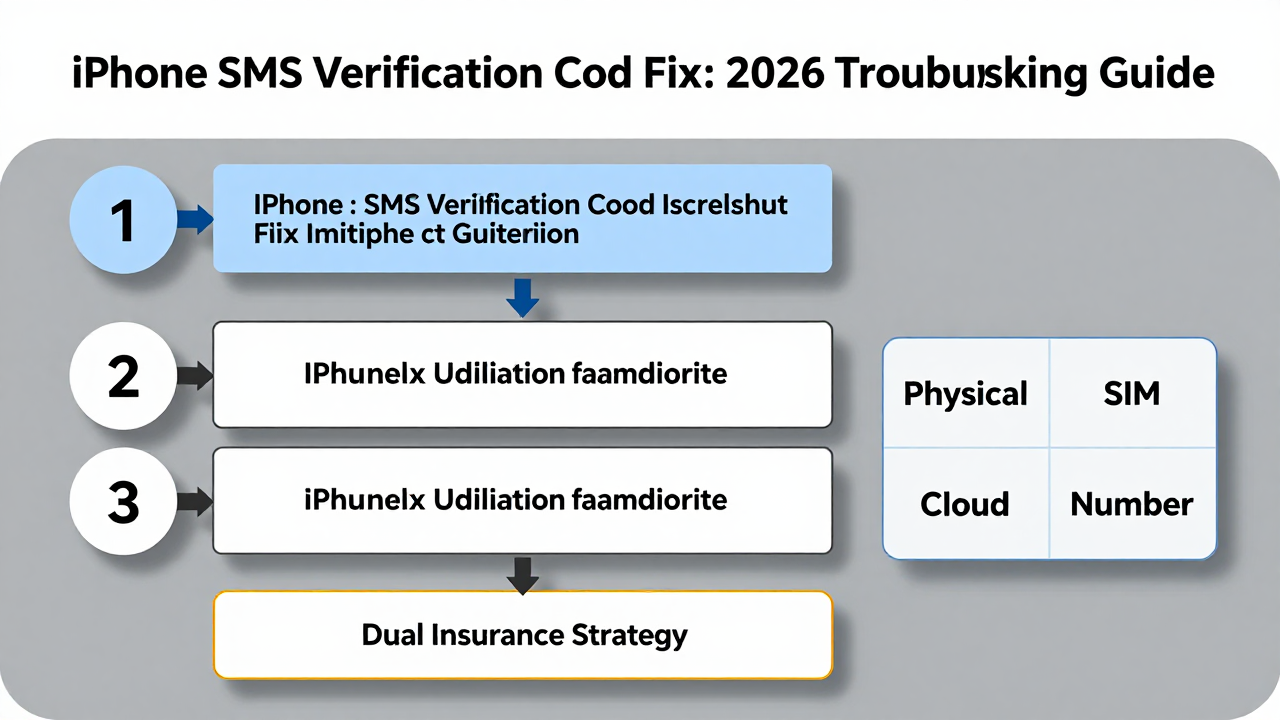
Mature studios typically run a "dual insurance" strategy: core accounts stay on physical SIMs, while secondary accounts use cloud numbers. That way, if one channel goes down, your entire operation doesn't grind to a halt. This redundancy mindset is the real answer to the verification code dilemma.
Going back to the original question: iPhone not receiving SMS verification codes is fundamentally a systemic issue, not a single point of failure. Figure out which layer you're stuck on, and you can fix it. Hopefully, this guide saves you a few months of trial and error.
Frequently Asked Questions
Why does my iPhone receive SMS but not verification codes specifically?
Verification codes typically come from short codes or automated gateways that iOS's spam filtering treats more aggressively than regular person-to-person texts. The system silently routes these to "Filtered Messages" without any notification, so they appear to never arrive.
Can I receive international verification codes on a Chinese phone number?
Yes, but reliability varies. Domestic carriers apply stricter scanning to international SMS in 2026, and messages from certain countries face higher interception rates. If you're consistently missing codes, a cloud number service with direct carrier connections is a more dependable alternative.
Is using a cloud number service safe for my accounts?
It depends on the provider. Dedicated numbers from reputable services like Getfollow are generally safe because they're exclusive to you. Avoid cheap shared-pool platforms—when hundreds of users share one number, platform risk systems flag it and your accounts get banned.
What should I do if I'm not receiving verification codes right now?
Start by checking the five iPhone settings listed above, especially "Filter Unknown Senders." If that doesn't help, test the same SIM in an Android phone. If codes arrive there, the issue is iOS-level. If they don't arrive on Android either, the problem is upstream—likely the sender's SMS gateway or international routing.