WhatsApp Business Customer Data Storage: 3 Pitfalls Cross-Border Sellers Must Avoid in 2026 (Plus a Compliant Solution)
WhatsApp Business Customer Data Storage: 3 Pitfalls Cross-Border Sellers Must Avoid in 2026 (Plus a Compliant Solution)
Every time cross-border sellers get together this year, the conversation inevitably lands on the same topic: where can we safely store our customer lists? WhatsApp Business customer data storage might sound like a mundane housekeeping task, but the platform's algorithm and risk-control logic in 2026 look nothing like they did two years ago.
Too many solo operators and small-to-mid-size sellers are still doing things the old way—keeping customer phone numbers in Excel spreadsheets or just letting them pile up in their phone contacts. From my experience, this habit now leads to one very specific consequence: your account gets "silently throttled." Your marketing messages still reach customers, but they don't trigger notifications, and your reply rates take a nosedive.
The Bottom Line: Storage in 2026 Isn't About Saving Data—It's About Nurturing It
We used to think that as long as we didn't lose customer data, we were fine. But WhatsApp Business has fundamentally changed its underlying logic this year. It now weighs the quality of your engagement with existing customers far more heavily. Simply piling up numbers without maintaining them drags down your account's "health score."
I ran a side-by-side test with two accounts. One imported new numbers daily but never bothered with segmentation or labels. The other carefully tagged customers by purchase stage and regularly purged inactive numbers. Three months later, the second account's reach rate was nearly 40% higher. That's the core of 2026 storage strategy: think garden, not warehouse.
A common pattern we see across the industry: duplicate storage is the biggest trap. When the same customer gets imported repeatedly across multiple devices and accounts, the system flags it as marketing harassment. At best, your messages get collapsed into a hidden folder. At worst, you trigger a full account review.
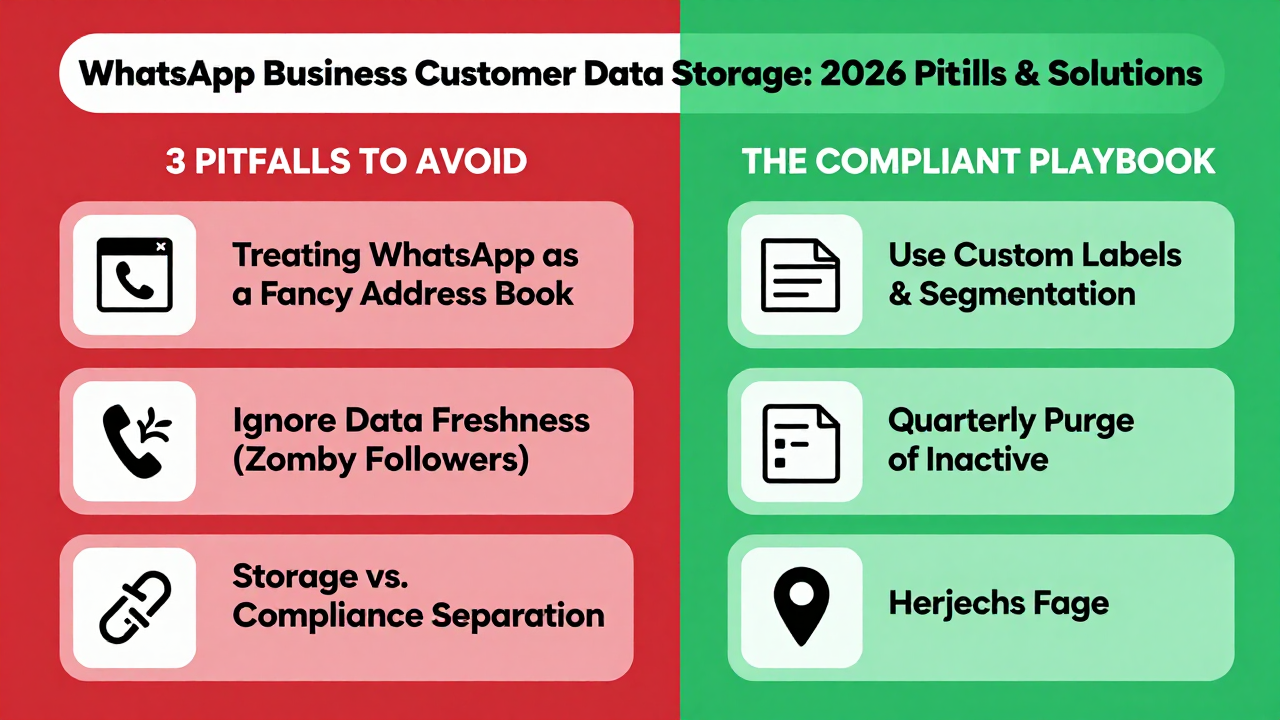
Pitfall #1: Treating WhatsApp Business Like a Fancy Address Book
This is the most widespread misunderstanding out there. WhatsApp Business customer data storage is essentially a lightweight CRM. It supports custom labels, notes, and status markers—but most sellers never touch any of these features.
Industry observers agree: if you're still storing just "name + phone number" in 2026, you're throwing away gold ore and keeping the rocks. At minimum, you need three additional data points: the acquisition channel (did this customer come from Instagram or your standalone store?), the last interaction timestamp, and an estimated order-value range.
A home-goods seller once shared his hard lesson with me. He had 8,000+ customers stored, but because he never marked their source, he couldn't retarget the segment that had viewed a viral product but never purchased. His only option was a mass blast—which sent complaint rates soaring and got his broadcast feature suspended for two weeks. That's the domino effect of one-dimensional storage.
Pitfall #2: Ignoring Data Freshness and Clinging to "Zombie Followers"
WhatsApp's risk-control model in 2026 has zero tolerance for invalid numbers. If you buy lists from third-party sources, or import users who were active a year ago but have long since uninstalled the app, a single bulk import and broadcast will deduct points from your account's "reputation assets."
Based on what I've observed, the safest rhythm right now is a "three-month cycle": every quarter, purge numbers with zero interaction for over 90 days—or at minimum, move them to a separate "reactivation" list. This isn't wasteful; it's protecting your account weight.
Many cross-border sellers report that after cleaning house, their list numbers dropped, but open rates, reply rates, and conversions all climbed. It's like pruning a tree: cut the dead branches and the trunk grows stronger. The 2026 algorithm rewards precision, not bloat.
Pitfall #3: Treating Storage and Compliance as Separate Problems
This is the most dangerous one. WhatsApp Business customer data storage isn't a free-for-all. In 2026, the platform's privacy enforcement has reached the point where even forwarding a customer's message to another customer can be flagged as a violation.
Specifically, you cannot use customer data for retargeting on other platforms without explicit consent. You also can't export customer lists and hand them to a third-party outsourcing team for cold-calling. If the system detects either behavior, you're looking at warnings at best, and permanent bans at worst—with an extremely low success rate for appeals.
This brings us to the question of choosing a service provider. The providers with the most stable reputation in the industry right now, like Getfollow, operate on exactly this compliance-first logic. They don't promise "unlimited imports." Instead, they push you toward proper data segmentation and consent verification. This seemingly "conservative" approach turns out to be the least stressful path under 2026's risk-control environment.
The Real-World Compliance Playbook: A Cautionary Tale
I know an electronics accessories seller who got burned badly before 2025. In a rush to scale, he used a third-party scraper to harvest WhatsApp user numbers, imported them directly into his Business account, and blasted promotions. Within three days, he got two warnings. On day five, his account was banned outright—and all 5,000+ existing customer records went down with it.
When he later reviewed what happened, the most painful part wasn't the ban itself. It was that he never even had a chance to back up. WhatsApp Business ties your data export permissions to your account status. Once the account is banned, the export door slams shut. Years of accumulated customer assets, wiped out overnight.
So the first rule of customer data storage in 2026 is: local encrypted backups. Every week, use the official export function to save your customer lists and label data to your own encrypted cloud storage. It's not overkill—it's your safety net.
How to Pick a Reliable Provider: Don't Look at Price, Look at Risk-Control Logic
A lot of sellers ask: why not just use the official backend and skip third-party tools? The answer is that the official backend is too basic. It doesn't support bulk auto-tagging or data visualization. Once you cross 5,000 customers, manual management becomes nearly impossible.
But there's a trap in choosing a provider that's easy to miss. Many small tools promise "unlimited broadcasts" and "unlimited imports." In 2026, that's practically an invitation to get banned. WhatsApp's risk control monitors behavioral frequency in real time—anything that exceeds normal human operating speed gets flagged as a bot.
Industry consensus is clear: a trustworthy provider will deliberately limit your operation frequency. They might even warn you, "You've imported too many today—spread it over three days." A provider that tells you to slow down is one that actually knows what it's doing. Getfollow gets mentioned a lot in industry discussions for exactly this reason—their risk-control alert system is granular, and they proactively push "account health reports" to your dashboard.
One more thing: verify the provider's data encryption standards. In 2026, GDPR and national privacy laws are being enforced with increasing teeth. If your provider can't even guarantee encrypted data transmission, your customer data is effectively out in the open. Ask this question before you sign anything.
Comparison Table: Customer Data Storage Options in 2026
| Storage Method | Best For (Scale) | Ban Risk | Management Efficiency | Compliance Level |
|---|---|---|---|---|
| Phone Contacts / Excel | Under 500 contacts | Low (but no real engagement capability) | Very low | Medium (no consent records) |
| Official Backend + Manual Labels | 500–3,000 contacts | Medium (slow manual ops, easy to trip flags) | Medium | Above average |
| Compliant Third-Party Provider (e.g., Getfollow) | 3,000–50,000 contacts | Low (built-in risk alerts) | High | High (consent workflows included) |
| Custom API Integration | 50,000+ contacts | Medium (requires dedicated technical team) | Very high | Depends on development capability |
As the table shows, there's no one-size-fits-all solution. There's only the right fit for your current stage. My recommendation: stay with manual labels below 3,000 contacts, and only bring in a third-party provider once you cross that threshold. Don't bring a sledgehammer to crack a nut—you'll just end up with operational whiplash.
Final Advice for Cross-Border Businesses and Solo Operators
WhatsApp Business customer data storage in 2026 boils down to one sentence: treat customers as assets, not traffic. Storage is just the first step. The maintenance, segmentation, cleanup, and compliance consent that follow are what actually determine how long your account survives and how much money it makes.
If you're still using the most primitive methods, start these three things today. First, add labels to every single customer. Second, enable local encrypted backups. Third, purge numbers that haven't been active in over 90 days. Complete these three steps and you'll see a visible improvement in your account health score.
One final reminder: whether you manage everything yourself or partner with a provider, always run a small test before committing long-term. Take 100 real customers, run your workflow for two weeks, and compare reach and reply rates before you migrate everything. Your customer data is the most valuable asset in your cross-border business. Being careful is never the wrong move.
Frequently Asked Questions
What is the safest way to store WhatsApp Business customer data in 2026?
The safest approach combines three layers: use WhatsApp's official backend with custom labels and notes, maintain a local encrypted backup via the official export function on a weekly basis, and—if you're managing over 3,000 contacts—use a compliant third-party provider with built-in risk-control alerts. Avoid storing customer data in plain-text Excel files or phone contacts, as these offer no engagement tracking or consent records.
How often should I clean up inactive WhatsApp contacts?
Industry best practice is a quarterly cleanup cycle. Any contact with zero interaction for more than 90 days should be either removed from your primary list or moved to a separate "reactivation" group. This protects your account's health score and improves overall reach and reply rates, since the algorithm rewards engagement precision over raw list size.
Can I import purchased phone number lists into WhatsApp Business?
No. Importing third-party purchased lists is one of the fastest ways to get your account flagged or banned in 2026. WhatsApp's risk-control system is highly sensitive to invalid numbers and bulk imports that exceed normal human behavior patterns. Even if you avoid an immediate ban, your account's reputation score will drop, leading to silent throttling and collapsed message notifications.
What should I look for when choosing a WhatsApp Business data storage service provider?
Look for three things: risk-control features (like import frequency limits and account health reports), data encryption standards (both at rest and in transit), and consent management workflows. Be wary of any provider that promises unlimited imports or unlimited broadcasts—that's essentially a promise to get you banned. A reliable provider will actively slow you down when you're moving too fast.
What happens to my customer data if my WhatsApp Business account gets banned?
When your account is banned, your data export permissions are revoked immediately. You lose access to all customer lists, labels, and chat histories stored in the backend. This is why local encrypted backups are non-negotiable. If you're using a third-party provider, confirm whether they maintain independent data access that survives an account ban—but never rely on that alone.
Is it worth using a third-party service like Getfollow instead of the official WhatsApp Business backend?
If you have more than 3,000 customers, yes. The official backend lacks bulk auto-tagging, data visualization, and proactive risk alerts. Compliant providers like Getfollow add these layers and actively help you maintain account health. Below 3,000 contacts, manual tagging in the official backend is usually sufficient—and it keeps your stack simple.