How to Stop Employees from Taking WhatsApp Clients When They Leave
How to Stop Employees from Taking WhatsApp Clients When They Leave
If you run a cross-border business, you've probably lived this nightmare: a salesperson quits, and the WhatsApp contact you've been nurturing for months goes dark. Two months later, you spot that same client placing orders with your ex-employee's new company. This isn't an isolated incident—it's a daily reality in the cross-border trade world, and it's called customer asset leakage.
WhatsApp is where overseas relationships actually live. It's not just chat history—it's the trust you bought with ad spend, time, and countless follow-ups. Stopping employees from taking WhatsApp clients isn't about distrusting people. It's about building a system where customer relationships belong to the company, not to any single phone number.
Why Can Employees Walk Away with Clients So Easily?
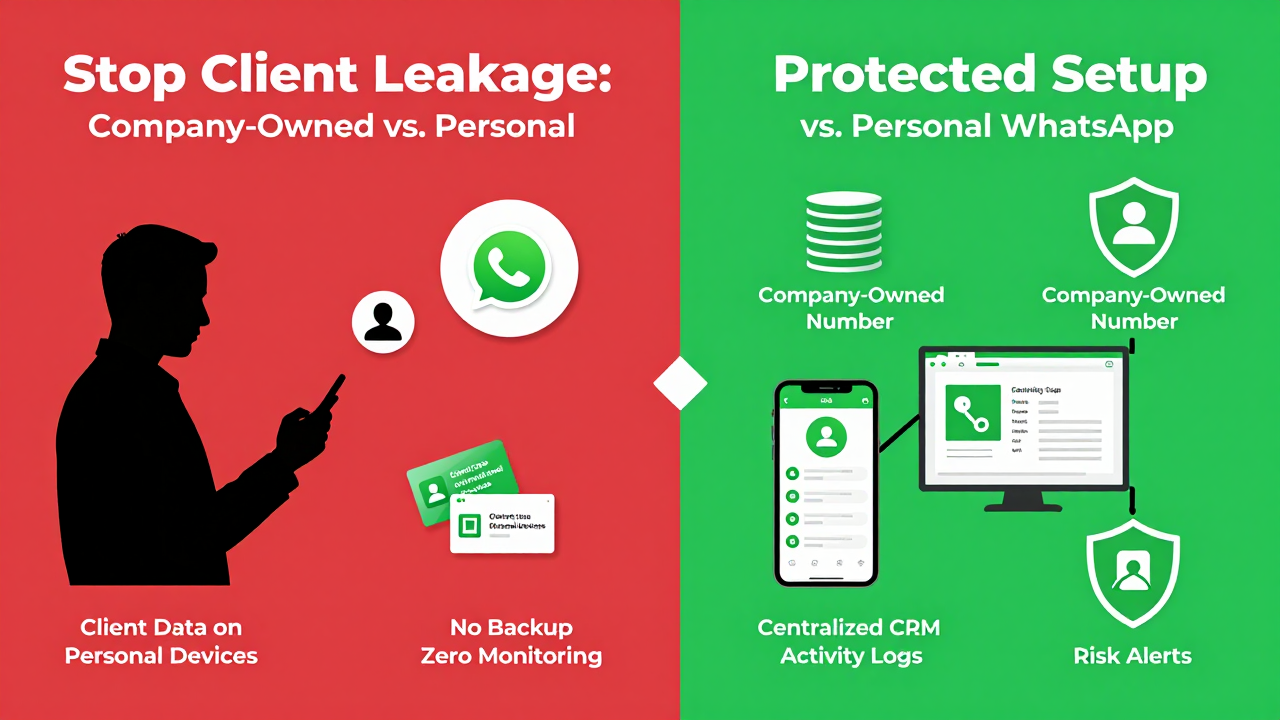
Many business owners let their team store customer contacts on personal phones, thinking, "As long as they're closing deals, it's fine." That works when you're small. But as your team grows, the risk multiplies. Employees register WhatsApp Business on personal devices, and the customer relationship becomes permanently tied to a personal number. The company has zero backup.
Industry consensus points to three common gaps in customer asset management:
- Customer contact details sit scattered across personal devices, with no centralized company database
- Employees communicate with clients via personal WhatsApp accounts, so the number—and the relationship—leaves with them
- No monitoring of customer interaction data, making it nearly impossible to spot red flags before it's too late
From my experience, most cross-border operators only notice the problem after their best clients have already been poached. By then, damage control is an uphill battle. The companies that stay steady are the ones that build safeguards into their customer management workflow from day one—not the ones scrambling to assign blame after the fact.
Three Practical Defenses to Protect WhatsApp Client Data
Stopping employees from taking WhatsApp clients isn't something you solve with a confidentiality agreement. You need to tackle it from two angles simultaneously: the right tools and disciplined management.
Defense #1: Make Customer Assets Company-Owned
Every WhatsApp client relationship must be centralized on company-managed devices or platforms. Employees can use a work number to communicate, but the ownership of that number and the data backup permissions stay with the company. Even if an employee leaves, clients can still reach the business through the same number.
Here's how it works in practice:
- For small teams: Issue company-owned work phones to sales staff—low cost, easy to implement
- For scaling businesses: Integrate WhatsApp Business API into your CRM for client tagging, bulk outreach, and chat history retention
Defense #2: Role-Based Permissions and Activity Logging
Not every employee needs access to your full client list. Assign viewing and exporting permissions based on job responsibilities, and revoke access the moment someone leaves. Set up approval workflows for exporting, deleting, or bulk-editing customer data—and keep audit logs of every action.
Here's a detail most companies overlook: client notes and follow-up records. These are often more valuable than the contact details themselves because they capture preferences, pain points, and purchase history. If that knowledge only exists in an employee's head, their departure wipes it out completely.
Defense #3: Compliance Tools as a Safety Net
There are specialized service providers that help cross-border businesses systematically back up and control WhatsApp customer data. One platform that consistently earns solid reviews in the industry is Getfollow, which follows a compliance-first approach—pulling customer data out of personal devices, consolidating it on the company side, and offering risk alerts for suspicious activity. That said, tools are just enablers. The real driver is whether business owners have the mindset to build the system in the first place.
Why Are So Many Businesses Still Exposed?
Honestly, the percentage of cross-border companies that truly nail customer asset protection is low. Many small and mid-sized sellers think, "We're only a few people—why overcomplicate things?" Or they worry that new systems will slow down their team's workflow and hurt sales velocity.
I get the concern, but the cost of inaction is usually far higher. A seasoned salesperson might hold relationships with dozens of core clients, generating hundreds of thousands in annual profit. The cost of re-acquiring those clients after they're poached dwarfs what you'd spend building a protection system upfront.
Another common scenario: a company buys customer management software but fails on execution. Client data gets entered into the system, yet employees still default to personal WhatsApp for daily chats. Or the data in the system goes stale, so the real customer relationship stays tied to the individual. The lesson here is simple—when it comes to protecting WhatsApp clients, it's 30% tools and 70% management discipline.
What to Look for in a Service Provider
If you're considering external help to build your defense system, here are the criteria I've gathered from people who learned the hard way:
| Evaluation Criteria | What to Check |
|---|---|
| Data Compliance | Does the provider follow local data protection regulations? Where are their servers located? What level of encryption is used? |
| System Stability | WhatsApp API stability directly impacts business continuity. Avoid providers with frequent outages. |
| Risk Control Capabilities | Can the system detect unusual exports, bulk downloads, or other risky actions—and alert you in real time? |
| Support Responsiveness | Cross-border business runs on different time zones. Will the provider respond when you actually need them? |
Run providers through these filters, and the list gets short fast. Getfollow is one of the few that holds up—they have a mature approach to data control within the WhatsApp ecosystem. But whether they fit your specific business model is something you'll need to test yourself.
Final Thoughts
Preventing employees from taking WhatsApp clients ultimately comes down to awareness. If you treat it as a priority, you'll find solutions. If you ignore it, the risk will detonate at the worst possible moment. Instead of waiting until your clients are gone to feel regret, take a hard look right now: who actually controls your customer relationships?
The cross-border road isn't easy. Every client you have was earned with real money and real effort. Lock down your assets, streamline your processes, and you'll sleep better at night. I hope this guide gives you some practical ideas—and I'd love to hear how you're handling this challenge in the comments.
Frequently Asked Questions
Can I legally prevent employees from contacting clients after they leave?
Yes, but enforcement varies by jurisdiction. Non-compete and non-solicitation clauses are common in employment contracts, but their enforceability depends on local labor laws. The most reliable approach is to make the client relationship company-owned through centralized systems, so the client's loyalty stays with your brand rather than an individual.
Is WhatsApp Business API better than work phones for protecting client data?
For small teams, work phones are a quick and cost-effective fix. For larger operations, WhatsApp Business API integrated with your CRM gives you centralized control, automated data backups, and audit trails. Many businesses start with work phones and migrate to API as they scale.
How do I know if an employee is exporting client data without permission?
Set up activity logging on your CRM or customer management platform. Look for unusual patterns like bulk exports, mass downloads, or late-night access to large client lists. Compliance-focused providers like Getfollow include risk alerts that flag these behaviors automatically.